How to Redeem Leviathan Evolution Codes
Exact UI path, troubleshooting, and where 30 dollar games posts new strings.
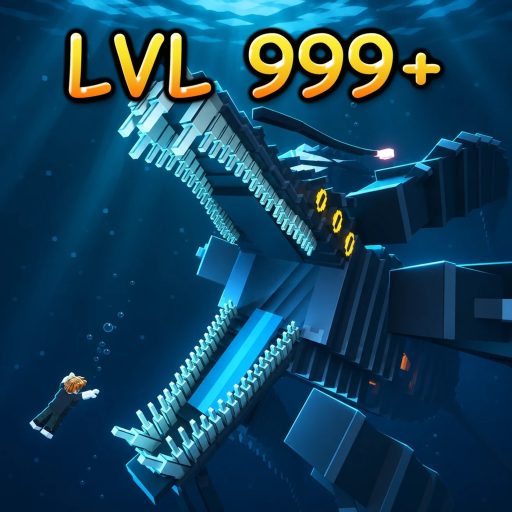
Redeeming codes in +1 Leviathan Evolution takes under a minute once you know the UI. This walkthrough covers the full path from joining the place to confirming rewards, plus fixes for common “invalid” failures and the places developers actually publish new strings. Use it alongside the live list on the Codes Hub.
The official Roblox title is +1 Leviathan Evolution (often displayed with a [QOL] tag). The place supports up to 20 players and focuses on hatching as a tiny fish, eating food, growing, climbing the Evolution Tree across 20+ creatures, team hunting, and competing to become King of the server. Free coins and XP multipliers from codes accelerate that loop without breaking it—so redeem correctly, then spend the buff window on real growth.
Before you start
- Sign into the Roblox account you want the rewards on. Codes are once per account.
- Launch +1 Leviathan Evolution and wait until the main ocean session finishes loading.
- Keep a clean copy of the code nearby. Active examples as of November 2026: VOID (5K Coins + 2x XP for 5 minutes) and UPDATE3 (2K XP + 2x XP for 5 minutes).
- Remember: codes are case-sensitive. Do not lowercase them “to be safe.”
Exact redeem steps
- Look to the left side of the HUD for the REWARDS button and open it.
- Inside Rewards, select the CODES tab (not daily gifts or other reward panels).
- Click the text field and type the code exactly—
VOIDorUPDATE3with no leading or trailing spaces. - Press REDEEM.
- Watch for a success confirmation (toast, popup, or inventory/currency tick). Coins should appear immediately; XP multipliers usually show as a timed buff.
- Close the menu and start feeding or hunting so a 2x XP window is not burned while you stand still.
If the button does not respond, leave and rejoin the server once. Soft UI hangs happen more often on busy 20-player servers than on quiet ones.
What each active code is good for
VOID leans coin-heavy. Claim it when you are about to buy upgrades, restock consumables if the shop uses coins, or stabilize early progression after a wipe or fresh hatch. The bundled 2x XP still matters—plan a short food route afterward.
UPDATE3 leans XP-heavy. Redeem it right before a focused grind: dense food pockets, evolution pushes, or a coordinated team hunt. Two thousand flat XP plus five minutes of 2x XP is wasted if you redeem and then AFK.
Stacking advice: redeem one code, confirm the buff, start farming, then redeem the second when you are already in motion if both multipliers can coexist. If the game only keeps one XP multiplier timer, prioritize the moment you are most efficient rather than double-tapping both in the lobby.
Troubleshooting invalid or failed codes
“Invalid” or “doesn’t work”
- Recheck spelling and capitalization character by character.
- Remove spaces pasted from Discord or phone keyboards.
- Confirm you have not already redeemed that code on this account.
- Confirm the code is still listed as active on the Codes Hub and has not moved to Expired Codes.
No reward popup but button accepts input
- Rejoin the experience and check coin/XP totals again.
- Open REWARDS → CODES once more; some clients delay the toast.
- Avoid redeeming during heavy lag spikes right after server teleport.
Code worked for a friend but not you
- They may be on a different account that never redeemed it.
- They may have redeemed during a previous window when the string was live and yours is now expired—verify on this wiki before retrying endlessly.
UI missing entirely
- Wait for the tutorial or intro prompts to finish if you just created a new hatch.
- Scale down graphics or restart Roblox if the left HUD failed to draw.
- Make sure you are in the live place (universeId 10774223573), not a fan-made copy with a similar name.
Where new codes usually appear
Developers at 30 dollar games typically surface codes in channels players already watch for patches:
- The official Roblox game description after an update publish.
- The 30 dollar games group wall, shout, or related community posts.
- In-experience announcements or update changelogs referenced from the Updates Hub.
Treat random “unlimited codes” pastebins and strangers offering private lists with extreme skepticism. Never download “auto redeem” executors to claim free coins—see the Scripts Safety guide if someone pressures you that way.
After you redeem: turn rewards into progress
Codes are a head start, not an endgame. Spend the coin cushion on meaningful early power, then use XP windows to climb the Evolution Tree toward sharks, squids, and leviathans. Team hunts scale better when everyone is mid-buff. For day-one habits, follow Getting Started. For which creatures deserve your XP, check the Tier List.
Sibling code pages
- Codes Hub — live active table and reward summary
- Expired Codes — how rotations work and current expired status
Redeem carefully, farm immediately, and keep this page bookmarked for the next update drop.
Frequently Asked Questions
Quick answers for Leviathan Evolution on Roblox.
What is the exact menu path to redeem codes?
Join the game, open REWARDS on the left, open the CODES tab, type the case-sensitive code, then press REDEEM.
Why does my code say invalid?
Usually wrong capitalization, extra spaces, a code already redeemed on that account, or an expired string. Verify against the Codes Hub, then retry carefully.
Do I need VIP or Robux to redeem Leviathan Evolution codes?
No. Official promo codes redeem through the free REWARDS → CODES flow. Be wary of anyone claiming you must buy a key or pass to unlock redeem.
Where does 30 dollar games post new codes?
Most often in the Roblox place description and group-facing posts after updates. Recheck this wiki’s Codes Hub after patch days.
Should I redeem XP codes before or after I start farming?
Redeem when you can immediately feed, evolve, or team hunt. Standing in menus burns the five-minute 2x XP window.